
Better Google Scholar
A lot of searching starts in Google Scholar, so RefCopy adds two small improvements there. Both are optional, and you can switch either one on or off in Settings.
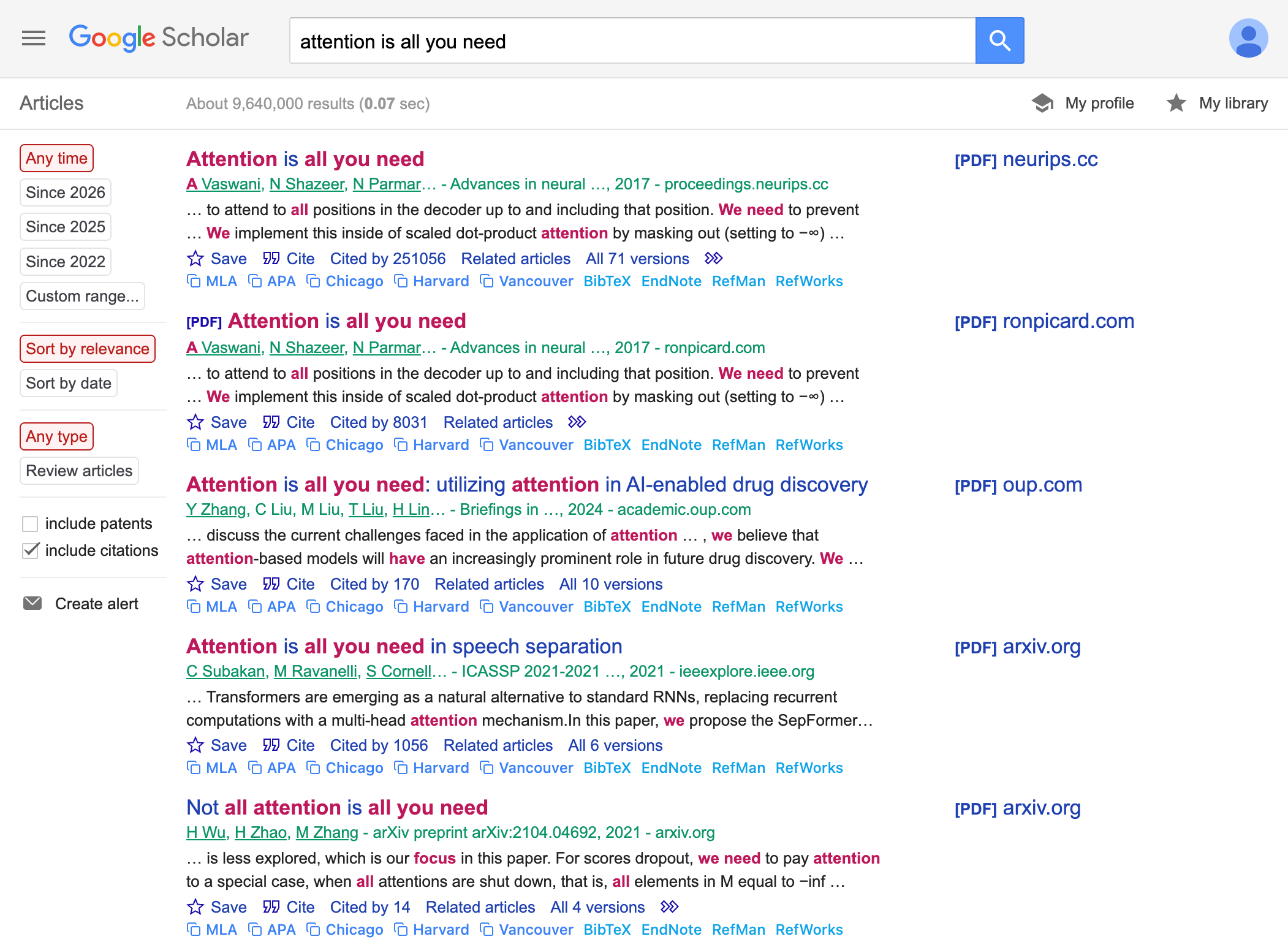
Highlighted results
With beautification on, RefCopy refines the look of the results page and highlights your search terms in each entry. The papers that genuinely match what you typed are easier to pick out at a glance.
One-click citations
RefCopy adds citation buttons directly to each result, so you can copy a citation without opening the paper first. The usual formats are there — MLA, APA, Chicago, BibTeX, and EndNote among them — so you can drop a reference into your document or import it into your reference manager in a single step.
Turning them on and off
Both features live in Settings, under the Google Scholar options. One thing to keep in mind: after you switch the one-click citations on or off, refresh the Scholar tab for the change to take effect.
Next: Review all the toggles in Settings, or see how full references work in the side panel.